How to Optimize Amazon Listings Before Black Friday and Cyber Monday 2026
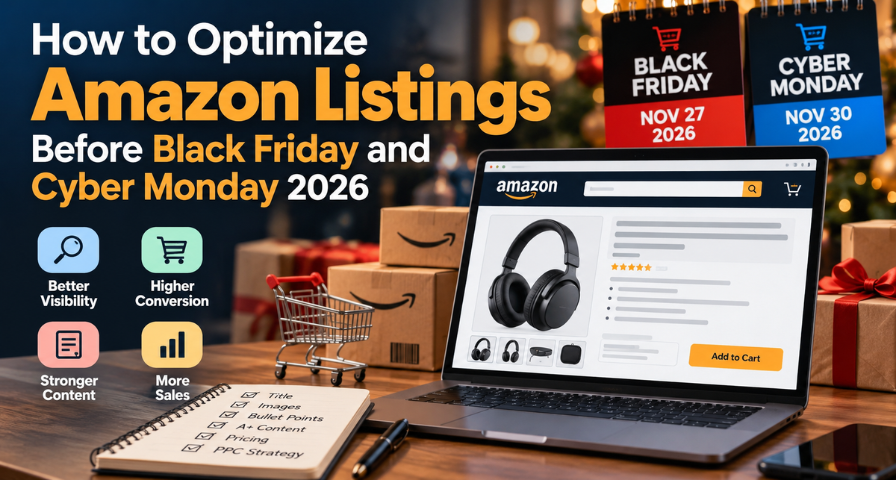
Every November, sellers invest in advertisements and discounts and then lament how little effect they seem to have. More often than not, the problem isn't a lack of traffic but what happens when the traffic gets there. A click that ends up on a listing without a clear main image, a title that fails to convey anything, and a price point that doesn't stack up against competitors is a wasted opportunity that costs money.
Thankfully, there is only a month between now and Black Friday on November 27 and Cyber Monday on November 30. It gives you enough time to do something about it, yet too little to waste it on adjustments, which are not likely to yield much benefit.
That is the role Amazon listings optimization plays. Done properly, it increases visibility, builds customer trust, and facilitates purchases. This guide will not provide you with some generic list of actions to take during the holiday season but instead will teach you how to identify problems, prioritize their resolution, and analyze the results of your efforts.
Audit Your Top ASINs Before Changing Anything
Perhaps the greatest mistake leading up to a large sale is editing too much at once. If you do a title update, image swap, and price change all within an afternoon, there is no way for you to know what worked and what didn’t. Begin by doing a quick audit of those few ASINs that generate the majority of your income.
For each of those, get thirty to sixty days of data from Seller Central sessions, unit session percentage (Amazon’s conversion rate), and advertising click-through rate. Compare each statistic to historical data for that product alone, and not to an industry standard. Then analyze them collectively. A high session figure coupled with a declining unit session percentage implies the page itself needs reviewing focus on price, images, reviews, and delivery promise. A low impression rate along with good conversion rates indicates the product is good but hard to find; therefore, keyword and advertisement visibility need attention. This is just a tip off to where to start looking first.
While you’re at it, verify some basics: the listing is active, nothing is suppressed, and variations are properly related. Sometimes a quiet suppression can take an entire week of income.
Tighten Titles and Use Item Highlights for Amazon SEO
If you haven’t looked at your titles lately, do it now, because the rules changed this summer. Since July 27, 2026, titles in most categories (media is the exception) must fit within 75 characters, including spaces, and summaries of Amazon’s announcement note that titles left over that length may be gradually replaced with an AI-recommended version. To offset the cut, Amazon introduced Item Highlights, an additional searchable field of up to 125 characters. As Amazon’s official answers to product title update questions explain, the same 200 characters of product information are now divided between the 75-character item name and the 125-character item highlights.
This is key for Amazon SEO purposes but doesn’t mean that you make your title a naked descriptor. The Amazon recommendation says that you should include the most important variating attributes in the item name, starting with your brand, the type of item, and then the variation attribute (such as the size, color, or pack count). Use item highlights to support your item name with information like material, certification, and purpose for which the item is recommended. Amazon also noted that both fields are used for searches and neither takes precedence over the other. Always write for your customer and the algorithm.
Avoid using seasonal language when it is not appropriate. For example, the term ‘gift for bakers’ is appropriate for a kitchen scale but not for a replacement water filter. Use Brand Analytics or Search Query Performance data, if you can, in addition to your search term reports, and select phrases that already bring clicks and orders. Finally, make sure that CTR and conversion increased. Since each category has its own exceptions, find out what your category needs in Seller Central.
Make Your Images Answer the Questions Shoppers Ask
Within a crowded page of comparable items, the main photo will make the difference as to whether anyone will actually read the listing further. It has to adhere to Amazon’s specifications a clean white background and a product taking up most of the space, but you still have options to distinguish yourself through lighting, angle, and clarity.
The rest of the gallery will be where listings are made or lost. Each one should be approached as an answer to a question a customer may ask. One image should display the true scale compared to something familiar. Another one should present the item in action. The third one could be an infographic explaining dimensions and/or compatibility. When buyers wonder whether the bag will fit a 15-inch laptop, show a laptop inside of it. Amazon's guidelines for advertisement mention multiple clear zoomable photos, and I would approach this as the bare minimum rather than a target.
Test out the gallery on a phone. Much of the holiday season is spent shopping on phones.
Rewrite Bullet Points and A+ Content Around Customer Needs
This is not where you list the features in the order your factory gives you. This is where you remove the uncertainty from the buyer's mind. Look at the latest questions from customers and negative reviews; find out what issues keep repeating, and write your bullet points accordingly, with specific answers to the most common concerns, including the product size, material, and contents of the box.
The A+ Content follows the same principle. You can use it to compare your own products, show how something works, add credibility to your brand, and other things you simply cannot do with a normal listing. Since the submission to A+ Content is reviewed before being published, make sure to submit it in advance, not right before Black Friday.
Keep in mind that there are limits to what this can achieve. Better content will enhance the user experience of both organic and sponsored customers; however, the listing modifications alone cannot help you rank better organically or save you money on ads. Consider content to increase the value of the traffic you get.
Use Customer Feedback to Remove Buying Objections
During sales, buyers tend to be more cautious, partially due to the fact that not all deals are always authentic. The most effective way to clear that doubt is by reading reviews; however, the methods that are available to sellers for manipulating reviews are quite few and restricted. Therefore, do not focus on what you are not allowed to do, but rather plan your strategy around the tools that are acceptable according to the guidelines.
Amazon has its own procedure, which you can use for requesting reviews only for those orders that qualify for it, so never try to offer any incentives or pressure buyers, as it is strictly prohibited, and it would be wise to read the guidelines once again before the Christmas period starts. Much more important than requesting reviews will be reviewing your existing ones and acting upon them. If three customers write about the fragile zipper or difficult setup process, maybe you won't be able to change the design of the product until November 30, but you can at least set realistic expectations in bullets, add a picture of how the product should be assembled, or change the instructions for the assembly process.
Set Competitive Prices Without Sacrificing Profit
It is no gain to receive a discount that will keep your store stocked but wipe out your profit. Before you accept the discount plan, calculate how much each sale will net. Below is an example using round figures. Let’s say a product is priced at $30, with a referral fee of 15% or $4.50, a fulfillment fee of $5.50, cost of goods of $9, and advertising fees of $3 for each unit. This makes a profit of $8 per unit. Lower the price by 20%, so the price becomes $24, making the referral fee fall to $3.60 while others remain the same. This makes a profit of just over $2.90 per unit.
The break-even ACOS has the same tale to tell. A product priced at $30 can afford to allocate up to 37 percent of the sale price to marketing before it starts making losses. At $24, it becomes 25 percent. If you continue to bid the way you used to, you might be paying for losses. The numbers are for illustration purposes and exclude any other cost besides those outlined above. Your actual break-even ACOS depends on your total cost, and thus should be calculated taking into account your own cost of goods sold, Amazon fees, fulfillment, etc.
Review your plans in light of your competitors' offers and also previous pricing by yourself, keeping in mind that deal and coupon eligibility is an issue that should be verified, not assumed. Bundling helps here, too, because bundling a best seller and its natural complement increases the average order value without increasing the discount on either item.
Prepare Inventory, Variations, and Fulfillment Early
Not having stock hurts twice; you miss the sale and you also kill the buzz that you were building. See if there are signs of potential problems in the metrics, such as available-to-sell units, inbound shipments, inventory stranded anywhere, and current delivery dates on your listing. Make sure that the offer being advertised is indeed shoppable and not just live.
Variants need extra attention, particularly if you sell apparel or other items available in different sizes and colors. Even if the parent product looks fine, the best-selling variant ASIN might be out of stock or show a wrong picture. Make sure each variant has proper attributes and proper pictures and is in fact available.
Forecast demand using recent sales velocity plus what you plan to do, such as a promotion or extra ad spend, instead of ordering more of everything. Lead times and storage costs are real constraints, and inbound shipments can take days to become sellable. Don’t count on backorders or manual holiday delivery cutoffs, which generally aren’t available for ordinary fulfilled offers. Rely on what the listing actually shows shoppers, and trim advertising on any product running low.
Align PPC Campaigns With Listing Performance
The ad is an extension of the listing itself, so diagnose both at once. Think of a realistic example a situation when you notice an increase in cost per click, a drop in conversions, and ACOS above the break-even point. Don’t rush to decrease your bids. Analyze first of all if the problem exists only for some particular search terms. If some very costly keywords bring you clicks but not sales, assess their relevancy. If the keywords are irrelevant, they need negative keywords. If they are relevant, that means your listing doesn’t sell well enough to those shoppers.
Finally, examine the factors that were modified during the period. Have you seen a competitive price reduction? Has your stock level, expected delivery time, or review score been modified? When the CTR is strong but the conversion rate is low, the issue must be with the content of the page: the price, the reviews, the delivery expectation, or the content. When the CTR is poor, examine your main image, title, and targeting. Change only one thing that is related to targeting and give it sufficient time and data before making conclusions. One quiet day or a few clicks will tell you nothing, so wait until you have a significant amount of clicks and orders, comparing them with the same period of days in regular conditions. The indicators like CTR, CPC, ACOS, and conversion rate provide indications about reasons but cannot prove anything.
Follow a Realistic Timeline From Here
Since today is October 29, time becomes much more important than the size of the checklist. Use the following three days to work on the audit: do inventory, suppress irrelevant listings, and analyze top ASINs you perform poorly in. Spend the first week of November on important items: primary and secondary images, titles with item highlights, bullets, and A+ content. Use the second week to validate pricing and promotions, and make sure you break even by checking the ACOS and budget allocation according to inventory.
From mid-November until the beginning of the sale, enter the verification phase. Make sure your live listings look the way you wanted them to, your offers and inventory are correct, and you have enough budget for campaigns. Do not touch whatever you see is working well for you. This schedule is provided by me, not by Amazon, and some deadlines for inbound inventory or submission of deals might be sooner, depending on the marketplace and fulfillment type used by you. When the sale comes, watch the budget, sales, conversion, and inventory levels.
Turn More Relevant Traffic Into Profitable Sales
The sellers that are getting ahead in the Black Friday and Cyber Monday window are never the ones providing the best deals. They are the sellers that did their homework, they are the sellers that understood their economics, and those who made necessary adjustments. Successful Amazon listing optimization is all about doing things the right way and in the right order.
Start off the week with the audit of your top five products ASINs. Take care of whatever might be quietly wrong, improve the information that answers potential questions of customers, and confirm your promotion mathematics before executing any promotions. And from there, move on to the next ones in the limited time that you have.
Ready to Grow on Amazon?
Let our experts help you scale your Amazon business with proven strategies.
Get a Free Consultation
Comments (0)
Leave a Comment