Amazon Passkeys: What Sellers Need to Know About the New Sign-In System
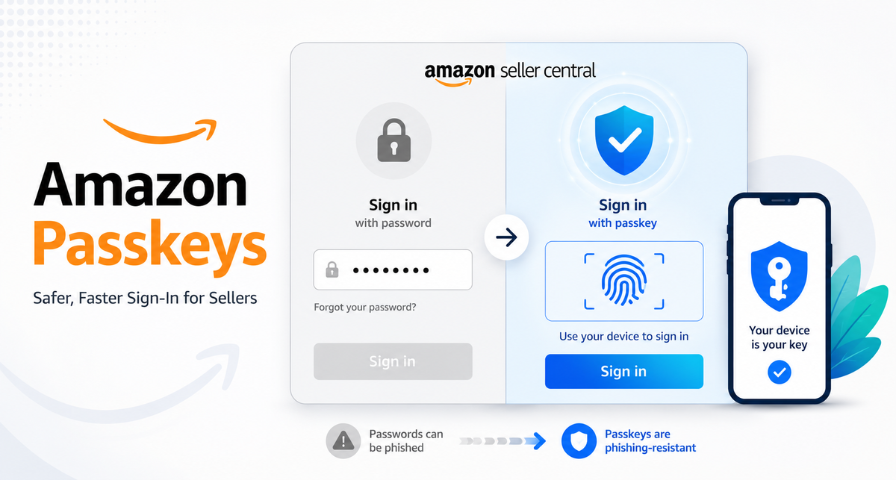
Amazon seller accounts have always carried much higher risk when it comes to security, and more than many consumers know. A Seller Central account is much more than just an online log-in, as it provides access to inventory, ad spend, customer data, and even revenue streams. This is why the implementation of passkeys by Amazon requires particular focus by sellers, agencies, and account managers, rather than ordinary consumers. Amazon passkeys are used instead of passwords and provide quick and reliable access without any risks of phishing attacks. Every user who manages a Seller Central account with employees must pay particular attention to the mentioned update.
What Amazon Passkeys Actually Do
Passkey authentication differs from the regular password in terms of how it functions. Rather than remembering a password that can be guessed, stolen, and used against you in a cyber attack, the passkey creates a cryptographic key pair, with the second half of it being kept safe on your device without being sent anywhere else. When logging in to Amazon, you will be authenticated by your device using its Face ID, fingerprint, or device PIN, but not by typing a code into the log-in box. Therefore, passkeys are called phishing-resistant authentication since there's nothing like a password to steal, no login page to fall for, and no credentials that can be used via phishing. Besides enhanced security, the process of logging in gets faster, too, since you don't need to remember anything.
This change reflects a trend that has been evolving in the technology industry, where companies such as Google and Apple have been advocating for the adoption of passkey authentication to replace passwords. The use of passkey authentication by Amazon brings its Seller Central and Amazon accounts into conformity with the industry trend, but the impact on speed and security will be felt right away since sellers and VAs log in many times during the day.
Why Shared Seller Central Access Needed a Better Solution
Very few Seller Central accounts are run by a single person. Many are managed by PPC specialists, virtual assistants, inventory coordinators, accountants, and agency partners, often across different time zones and devices. This created a real challenge for Amazon's passkey system, since a passkey is inherently personal. It lives on one individual's device and ties directly to that person's biometric or device authentication, which means a single shared passkey across a five-person team simply wouldn't work and would undercut the entire security model passkeys are built on.
The solution of Amazon is quite simple: sharing of logins is no longer available between multiple people, but each and every person belonging to a team who requires access to accounts will get his/her own secure access method via the use of secondary users. Rather than a whole team using a single login for access to the account, each and every person will have his/her own passkey, which is associated with the personal device of that individual.
How to Set Up Secondary Users
The process of adding secondary users is quite fast. In the Settings page, click on User Permissions, select the account, and add the contact information of the secondary user and send the invitation. As per the requirement of Amazon, every secondary user must have a completely new email address since every person on Amazon is an independent identity. There won’t be any clash of identities with the already existing Amazon accounts; hence, every team member can individually log in using his/her own passkey. All one needs to do is send the invitation and then just repeat the same process for every additional user, no matter if he/she is a new VA, agency contact, or in-house employee. Upon receiving the invitation, the user will need to register using the provided link in the email, and only then can he/she log in with his/her passkey.
Why This Update Matters for Sellers
This update reflects Amazon's broader strategy of tightening account security as seller accounts become increasingly valuable targets for cybercriminals. As agencies, remote teams, and international contractors become a bigger part of how Amazon businesses operate, individual authentication provides better accountability and reduces operational risk. If one team member's device is compromised, the damage stays contained to that one credential rather than exposing a password shared across an entire team. That containment matters enormously when the account in question controls ad spend, payout details, and product listings.
There are practical operational benefits here too, beyond the security angle. Onboarding a new employee or contractor becomes simpler, since they get their own passkey rather than being handed a shared password that then has to be quietly changed later. Offboarding becomes more efficient as well; there is no need to reset the password and resend it to the whole team since the passkey can be simply disabled for one person who is not working with you anymore. Increased visibility helps in tracking the activity of particular users, as all actions performed by the user are linked to his/her passkey. The number of emails from account administrators to reset passwords becomes much smaller thanks to individual passkeys.
There is also one potential drawback to consider, which is related to the process of onboarding. New users will need to provide a new and unique email address that has never been used before for secondary logins. This small but important requirement should be added to your onboarding checklist.
Final Thoughts
In addition to being an entirely new form of logging in, passkeys also mark a transition to passwordless authentication that is rapidly turning into an industry standard and is now being implemented right in Seller Central by Amazon. For sellers and agencies working with multiple members of one team on one account, using secondary users and passkeys individually means taking a step towards more effective management and securing your business operations. Those businesses that adopt this solution from the very beginning will have better chances of protecting their sensitive accounts as well as making life easier for all of their stakeholders.
Ready to Grow on Amazon?
Let our experts help you scale your Amazon business with proven strategies.
Get a Free Consultation