Amazon Live Shopping Comes to Brand Stores: What Sellers Need to Know
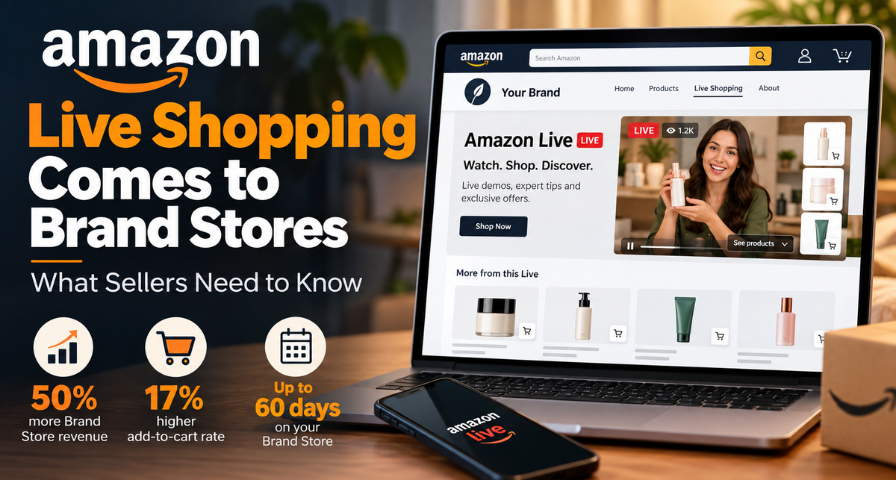
A new Live Shopping tile has been introduced on Brand Stores by Amazon, and the launch has been timed appropriately given that Prime Big Deal Days are around the corner and the holiday shopping season has already begun. Brand-registered sellers can put up a Live Shop by Amazon section within their store itself so that customers may enjoy watching live videos while shopping for products. For years now, most brand stores have been similar to brochures, which were neat, tidy, and quiet.
What Has Changed With Amazon Live Shopping?
That's been the case until now, as Amazon Live and Brand Stores operated pretty independently from one another. You could go live on Amazon Live and have a brand store, but there was no way for a customer to accidentally find your live content while navigating through your store. Conversely, if someone was watching your stream, there was no way of getting them to see all of your offerings besides nudging them.
That's where the new Live Shopping tile comes into play. A brand-registered seller gets an opportunity to add a special area on their brand store page that will show live content along with the shoppable items. The customer remains within your store page, watches, and makes purchases.
This follows the trend in online shopping, which sees video content becoming more of a staple of the process of purchasing something. The shift here is not really the emergence of yet another tool but rather filling in a gap in the existing process.
How the Amazon Live Shopping Tile Works
It could not get easier than this. You simply need to go to the Ads Console, access your Brand Store, click on Add New Section, and select Live Shopping. For live stream broadcasting, use the Amazon Live Creator app, log in using your Seller Central account details, select your brand, and begin streaming. There is no dedicated platform to master, which is good news for smaller brands lacking a video team.
Depending on your choice, the tile on your brand store can be pinned to a certain livestream or a playlist. The former would suit launches, seasonal campaigns, and any occasions when there is one particular focus point. The latter would suit brands wanting to rotate their tutorials, demonstrations, and previous broadcasts. The consumer arriving during non-broadcasting hours might find something useful for himself anyway.
There is a 60-day limit on how long your tile will be present on your Brand Store. This limitation dictates a certain approach to the problem. As the tile is not going to be on your page forever, you should treat it like an ad campaign and prepare it well in advance before your big sales day, use it to establish recognition and attract peak-season traffic.
Why This Matters for Amazon Sellers
As Amazon hasn't explained all the reasons for this functionality yet, consider the below a possible explanation of why they have implemented this function. One thing is quite clear, though. The trend to buy when seeing and not reading about something is developing. Many customers feel more confident to make purchases if they are able to see the product demonstrated to them or recommended by the author. Thus, one might consider this implementation to be a way to allow interactive content within Amazon's marketplace.
What really matters to sellers is how this affects the page itself. A static brand store can offer you only so much once the customer visits your store. Live content may bring some motivation to linger, some motivation to return, and some motivation to purchase immediately since the stream will end at some point in time. This way, your store may get more opportunities to resolve any doubts, which may prompt the customer to choose your competitor.
The opportunity is to test the feature while it is still relatively new and learn whether live content improves engagement with your own audience. You do not need to assume it will transform your store. You only need to run a few sessions and let your data speak.
What Amazon's Reported Numbers Tell Us
The company reports a 50% boost in brand store revenue and a 17% increase in add-to-cart rate among brand stores making use of the Amazon Live tile. These are figures reported by the company; hence, buyers should see them as a guide for what can be expected.
The add-to-cart rate is especially notable. This is a stage at which many stores have difficulty getting past; hence, any improvements here need to be considered. The revenue rate indicates that the effect may go beyond this.
It also makes sense to be a little suspicious. Brands that commit to livestreaming may also be brands making efforts to improve their product pages, run promotions, and drive traffic into their stores. Some of the success here might be a result of all of that effort combined rather than the tile only, and we cannot distinguish between the two from these figures. The logical conclusion is that livestreaming content has a lot to offer and that the results will depend on your specific products, target audience, and how good your broadcasts are.
What Should You Stream on Amazon Live?
A reliable starting point is a product demonstration. A kitchen brand can write about knife sharpness all day, but a chef slicing a tomato in real time answers the question in seconds. A skincare company can describe a serum's texture, or it can show a host applying it and explaining the routine while viewers ask questions. Live video tends to work best when it narrows the distance between curiosity and confidence.
Questions commonly asked by customers also constitute an excellent stream type. If there are many inquiries in your support box about the size, the compatibility, or the comparison of your product with the cheaper one, then this box can become your script. Answering questions of viewers will benefit both the viewers themselves and those who are watching it later when it is already uploaded into the playlist.
For product launches and gift guides, a pinned stream is perfect. Product launch allows explaining why the product is created and for whom, while a holiday gift guide gives you an opportunity to compile your products on the problem of a buyer, e.g., what gift he can buy for his mother who has everything. For best sellers and tutorials, a playlist works better, as they will remain relevant after the broadcast and give visitors something new to look at.
Which Products Are a Good Fit for Amazon Live?
Not all products require a livestream, and it is perfectly fine. The most appropriate products are those that can provide value to a customer through the ability to see, compare, or understand some features that cannot be conveyed through simple photos with some bullet points. Examples include beauty, kitchenware, health and fitness equipment, home improvement, and electronics since these categories have something visual or practical to demonstrate.
As a test for determining the type of product, one can ask what causes hesitation during purchasing. The reasons might be doubts about the fit, size, function, and practical use of an item. It becomes clear that products that allow before and after presentations, tutorials, and setup walkthroughs are the best options.
Even simple products might work as well. A brief Q&A session with a customer regarding frequently asked questions may increase the comfort of a person.
Amazon Live Shopping vs. TikTok Shop
It may seem that this would be Amazon’s response to TikTok Shop, and the parallels are obvious, but there are important differences.
While TikTok’s power is in its ability to discover and bring your video to people who are not seeking you out, Amazon Live inside a Brand Store is a different story altogether, as the viewers are the people who are shopping on Amazon and probably have even found your store before watching. This means that your video is being seen by people who are most likely ready to buy something and not by random users. You are not interrupting someone’s scroll through their feed but helping someone who is standing right in your shop.
This way, the two channels can work hand in hand, social video drives awareness and traffic, and the Amazon Live stream in the Brand Store helps you catch this traffic and sell to your viewers without leaving the Amazon platform. If you have experience creating short-form videos, you already have a competitive advantage.
How to Prepare for Prime Big Deal Days and Q4
Large sale times create high intent but also high distraction. Thousands of properties vie for your attention, and discounts alone don't cut it since everyone is offering them during those periods. You have one thing that a discount cannot provide: personality and evidence of authenticity. This can be done by working backward from your important dates instead of improvising during times of heavy traffic.
Start with the 60-day limit of the tile period. If the countdown starts as soon as you add the section to your property, then it would be wise to add the section sooner because the 60 days will span both Black Friday and Cyber Monday. Be sure to check how the timing plays out for you in your Ads Console before you decide.
In the first stage, three to four weeks prior to your most significant event, do a quick test stream using the Amazon Live Creator app. Make sure that you can log in to your account on Seller Central and choose the right brand, as this information might be hard to catch in stress. Pick up one product, make its story clear, prepare a rough outline instead of the exact script, and use this stream to address the questions from your customers.
In the second stage, one to two weeks before the event, change your strategy to making previews. Demonstrate your most popular products, explain which ones you will include in your deals, and announce your next streaming date. Create a short playlist of videos so that every visitor of your shop in-between broadcasts receives valuable information. Have only one goal for each stream: demonstrate the product, compare them, or show what to get as a gift.
During phase three, when the live session occurs, link up a streaming with a time-limited offer in such a way that viewers get rewarded for watching. Schedule your streaming for peak times when you expect the most traffic; this is possible from Brand Store analytics. Make sure your streams are well-focused and relatively brief, and be prepared to answer viewer questions in real-time.
Once this is done, reflect on the entire process. Save those streams that worked while discarding the unsuccessful ones, and use the feedback gained to improve your next selling season. Remember that a relaxed and well-prepared host who understands the product beats a slick but empty show because live viewers appreciate honesty.
How to Measure Whether It Is Working
Only a few sessions of your own data will give you more information than any statistic you can think of. Check your brand store visitors' activity and "add to cart" performance on days when you are live-streaming versus days when you aren't. See how long viewers are spending on your channel, what topics attract their attention, and whether they are buying the showcased products right after the show.
Do not forget to take note of the recordings of the stream as well. If a certain tutorial or Q&A video continues to get a lot of views within your playlist weeks after being posted, it means that this format is working for you consistently. If a certain topic does not receive much attention, just skip it and try something different. You can experiment, since the lifetime of the tiles is up to 60 days.
Final Thoughts
These two factors have successfully been combined in Amazon Live Shopping, the location where people purchase their goods, and the format that encourages them to do so. Given the mentioned increases in sales for brand stores and the add-to-cart rate, there surely is some potential in the idea. But your figures will be different from ours, of course. With 60 days left until the end of the peak shopping period of the year, and your choice of pinning the stream or creating the playlist, you still have some time to prepare for it.
If you already have a brand store, then the course of action is quite evident create the tile, schedule one stream answering consumers' questions, and run the next few streams purely as practice. People are already inside your store now; the question is, do you have something interesting enough to offer them?
Ready to Grow on Amazon?
Let our experts help you scale your Amazon business with proven strategies.
Get a Free Consultation