Amazon FBA Lead Times: New Shipment Estimates Explained
If you have ever sent a shipment to Amazon and then spent days refreshing your dashboard, wondering when the units would finally show up as sellable, you know the feeling. The inventory has left your hands, the carrier has delivered it, and yet your listing still says low stock or, worse, out of stock. That gap between “delivered” and “available to Prime customers” has been one of the quieter sources of stress in e-commerce for years.
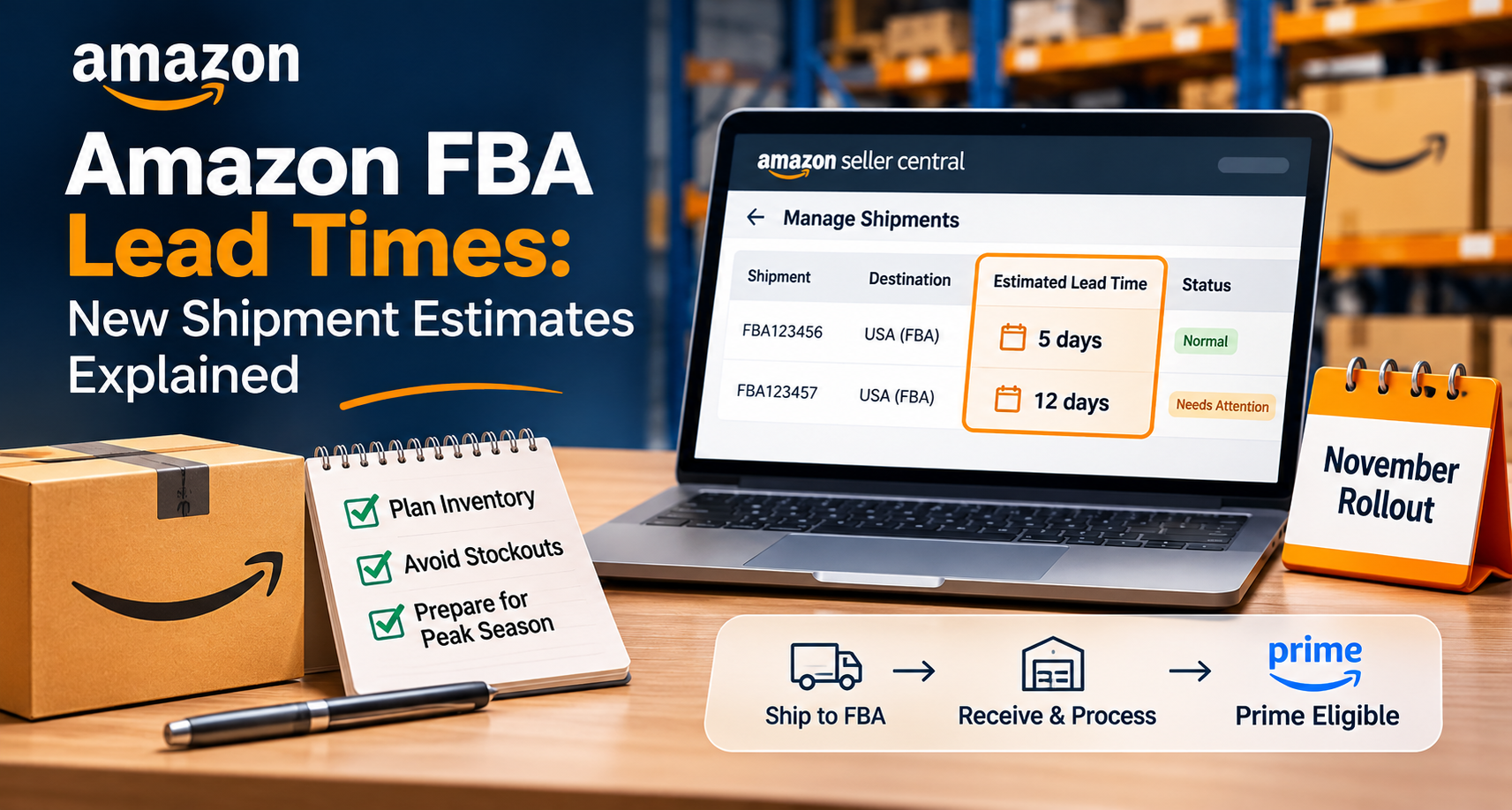
Starting this November, Amazon is rolling out estimated lead times for FBA shipments, shown inside Seller Central. It looks like a small interface change, but Amazon FBA lead times drive nearly every restocking decision, from how much to order to when to ship and how much cash to tie up in transit. A reliable estimate for the final stretch replaces a lot of guesswork.
Amazon’s New FBA Shipment Lead Time Estimates
The feature estimates how many days a shipment may take to be received and become Prime eligible. In plain terms, it answers the question sellers have always asked: once this shipment reaches Amazon, how long until customers can buy it with fast delivery?
Two details make the estimates more useful than a generic average. They depend on the destination, so shipments headed to different places can carry different numbers. They also depend on the time of year, because Amazon’s receiving operations do not run at a constant pace. A shipment that takes five days in January could take twelve during the holiday season. Treat that as an illustration, not a universal rule. The feature also lets sellers compare normal processing times with shipments that may need attention, which turns the estimate into a benchmark.
Which FBA Shipments Are Eligible for Lead Time Estimates?
For now, the feature covers eligible shipments going to US FBA. That includes inventory sent directly to FBA, inventory replenished from Amazon Warehousing and Distribution (AWD), and inventory replenished from Global Warehousing and Distribution (GWD). You will find the estimates on the Manage Shipments page as the rollout reaches your account, and like most Seller Central features, it will probably appear gradually. Sellers focused on other marketplaces should watch for expansion announcements rather than assuming the feature applies to them.
Why Receiving Time Has Been Hard to Plan Around
Total lead time runs from the purchase order to the moment a customer can add your product to a cart. Most sellers track manufacturing, freight, and customs reasonably well because they can follow those stages with suppliers and carriers. The final stage is different. Once a truck reaches an Amazon facility, the process moves out of the seller’s view. Status labels existed, but they said little about duration, so experienced sellers built rules of thumb that worked in quiet months and broke in peak season.
That unpredictability is expensive either way. Underestimate receiving time and you run out of stock while inventory sits unprocessed. Overestimate it and you ship earlier and in larger volumes than needed, tying up cash and increasing storage exposure.
Understanding the Three Stages of FBA Inventory Availability
It helps to separate three moments that sellers often blur together. The first is delivery, when the shipment physically arrives at the fulfillment center. The second is receiving, when Amazon checks the inventory in and processes it. The third is Prime eligibility, when the units become available for fast Prime delivery. These are simplified stages, not a full picture of every status Amazon uses, but they clarify what the new estimate covers: the time from arrival to availability, which is the stretch sellers could not previously see. It is also worth remembering that the estimate describes when shipments typically become Prime eligible, not a guaranteed date for every single unit.
How to Calculate Your FBA Replenishment Timeline
Here is how to fold the estimate into your inventory planning. Imagine a seller with 600 units in FBA, selling 20 units a day. Manufacturing and preparation take 15 days, international shipping takes 25, the estimated FBA processing time is 12, and the seller wants a 7 day safety buffer. Adding those together gives a replenishment lead time of 59 days.
At 20 units a day, the seller will sell about 1,180 units over those 59 days. That figure is the reorder point, or the inventory coverage needed to bridge the full replenishment cycle, assuming steady demand and no other stock already on the way. It tells the seller when to place the next order, not how much to order. The reorder quantity is a separate decision, shaped by current stock, incoming inventory, demand forecasts, and supplier minimum order quantities.
In this example, the seller holds only 600 units, which covers 30 days. A new order placed today would arrive about 29 days too late, leaving roughly 580 units of unmet demand. The order should have gone out when stock stood near 1,180 units.
Now see why the estimate matters. If the seller had assumed five days of processing, the lead time would be 52 days and the reorder point 1,040 units. The seven extra days of processing add 140 units to the requirement, and that gap is the difference between a plan that holds and one that stocks out.
Using AWD and GWD in Your Replenishment Strategy
The estimates also matter for sellers who do not ship everything straight to FBA. A common approach is to keep bulk inventory upstream in AWD or GWD and send smaller replenishments into FBA as demand requires. This keeps less capital sitting in fulfillment centers and gives you room to react when sales move faster or slower than forecast.
Take a seller who stores several months of stock in AWD and sends FBA a top-up every couple of weeks. With a lead time estimate for each replenishment, they can trigger the next transfer earlier when processing times are stretching, instead of discovering the slowdown when shelves are nearly empty. To be clear, upstream storage does not automatically remove receiving delays. It gives you more control over timing, and the estimate tells you how much of that control you need to use.
How FBA Receiving Delays Can Affect PPC Performance
Inventory timing reaches well beyond the warehouse. Suppose you run Sponsored Products campaigns with a $100 daily budget on a product that is selling steadily, but your FBA stock is running low because the replenishment has not yet become Prime eligible. If the campaigns keep spending at full speed, you may burn budget driving demand you cannot fulfill, or push the listing into a stockout that hurts ranking when it returns.
The answer is not to pause everything at the first sign of low stock. A more balanced approach is to prioritize your most profitable campaigns, monitor how many days of coverage remain, and adjust spending according to when replenishment is expected to become available. Trim budgets or lower bids on weaker campaigns first, protect the ones that convert best, and restore full spending once the units are live. Ahead of seasonal demand, time campaign launches to when inventory will actually be sellable, not when the shipment is merely on the road. For account managers handling both advertising and supply, this connects two functions that often work separately.
Seasonal Inventory Planning Starts Before the Season
The five-day versus twelve-day example is really a lesson about the calendar. A flat buffer fails every peak season. It helps to think in three periods. During normal months, keep your regular replenishment buffers. In the pre-peak period, send inventory earlier and revisit your sales forecasts. During peak, monitor receiving estimates closely and protect the stock you have available.
The sellers who handle Black Friday and Cyber Monday well usually do not start planning in November. They begin in late summer, when freight and receiving are still relatively calm, coordinating supplier production, international shipping, and FBA receiving well ahead of demand. The new estimates help most when you check them early and often, using them to adjust the plan as conditions shift.
How to Identify Delayed FBA Shipments
Receiving delays are not always about congestion. A shipment can stall because of labeling problems, discrepancies between the shipment plan and its contents, carrier delivery issues, or damage found on arrival. An estimate gives you a benchmark, so a shipment drifting well past it becomes a signal to investigate.
Start by comparing the estimate with the shipment’s actual status. Confirm the carrier shows delivery, compare units shipped against units received to look for missing quantities, and check labeling and contents for anything that might have triggered a hold. Keep your carrier delivery confirmation and shipment documentation in one place, since you will need them if you escalate. Exceeding the estimate does not automatically mean Amazon made an error, so treat it as a prompt to look closer, not as proof of a fulfillment center problem. If nothing on your side explains the delay, you will at least open a support case sooner and with better evidence.
Who Benefits Most From the New Estimates
Private-label sellers relying on overseas manufacturers gain the clearest benefit, since they have to coordinate production, freight, and FBA receiving in one chain. Seasonal sellers, such as those with winter products or holiday accessories, can finally build receiving variation into their timing. High-velocity sellers moving 30 to 50 units daily feel delays fastest, because every extra day of processing translates directly into lost sales. Account managers overseeing hundreds of ASINs can prioritize replenishment by sales velocity and inventory coverage, putting attention where a delay would cost the most.
Are Amazon FBA Lead Time Estimates Guaranteed?
No, and it is worth being clear about that. An estimate reflects typical conditions for a destination and season. Weather, carrier disruptions, or sudden volume spikes can push a specific shipment beyond it. Use the number as a better midpoint than the guesses you relied on before, and keep a modest buffer on top, especially for best sellers. Keep your own records too. Note each estimate, compare it with what actually happened, and after a few months you will know how much cushion your products really need.
Practical Steps for Sellers
Open Manage Shipments and check whether the feature has reached your account. Compare the estimates with the processing time currently built into your plans, then recalculate your reorder points using the method above. Coordinate ad budgets with expected availability, and decide whether splitting shipments or using AWD or GWD makes sense before your next busy stretch.
Amazon FBA lead times will never be perfectly predictable, but a visible estimate gives sellers something solid to plan around, and the ones who treat it as a working tool, checked regularly and tested against reality, will be best placed to benefit. Successful FBA inventory management is not just about sending products to Amazon on time. It is about ensuring those products become available to customers before demand turns into missed sales.
Ready to Grow on Amazon?
Let our experts help you scale your Amazon business with proven strategies.
Get a Free Consultation
Comments (0)
Leave a Comment